⊘
No account, no server, no tracking
No login screen, no hosted service, no analytics script and no remote listening history. Your books stay with you.
vbreader plays the audiobooks you already own: files in a folder on your phone. It saves your place every few seconds in each recording, and when you start the car it puts that book first, ready to resume on its own if your head unit asks for it, one tap away if it does not. No account, no subscription, and nothing sent to us.
No account, no sign-up, nothing sent to us. Your local library works offline, and cloud or server sources coming after launch will still be yours, not something we run.
“When I start my car, my book is already playing from exactly where I stopped, and I never touched my phone.”
This is the design goal, not a zero-lag guarantee. Local checkpoints and provider copying can lag; the car controls automatic resume.The first install is deliberately local-first: add a folder, see your library, press play and resume later from where you stopped. No account turns a simple listen into a project.
Preview and confirm library layout before any books are imported, or cancel without adding. Existing folders offer a real before/after Apply layout preview; Review resolves ambiguous grouping, not every unmatched filename. Rotation keeps your screen and safe layout draft, while stale confirmations must be opened again.
Swipe to browse all four screenshots. Or Tab to this row and use Left/Right arrow keys. Four screenshots with image descriptions and captions.
The Player's Recap and Output buttons are coming-soon placeholders, not available features.
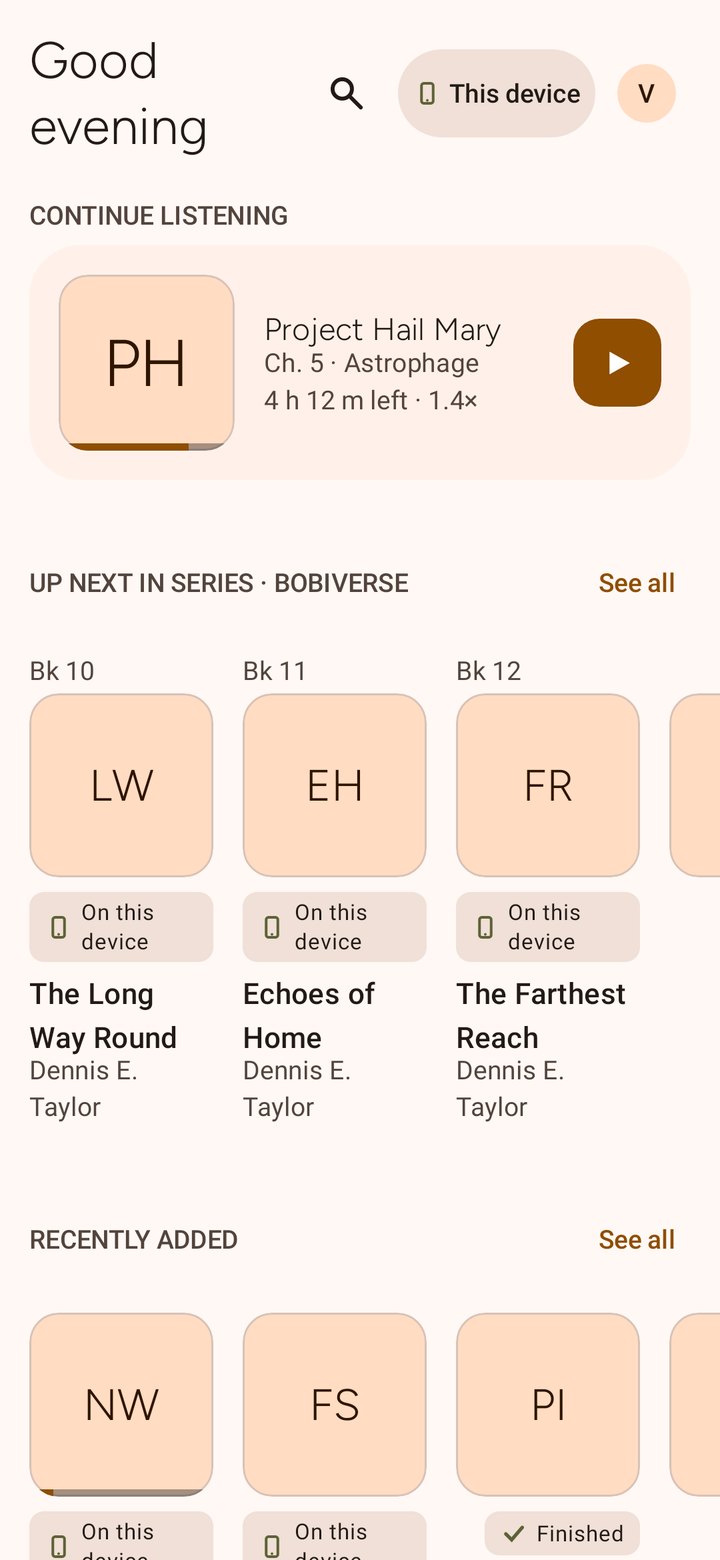
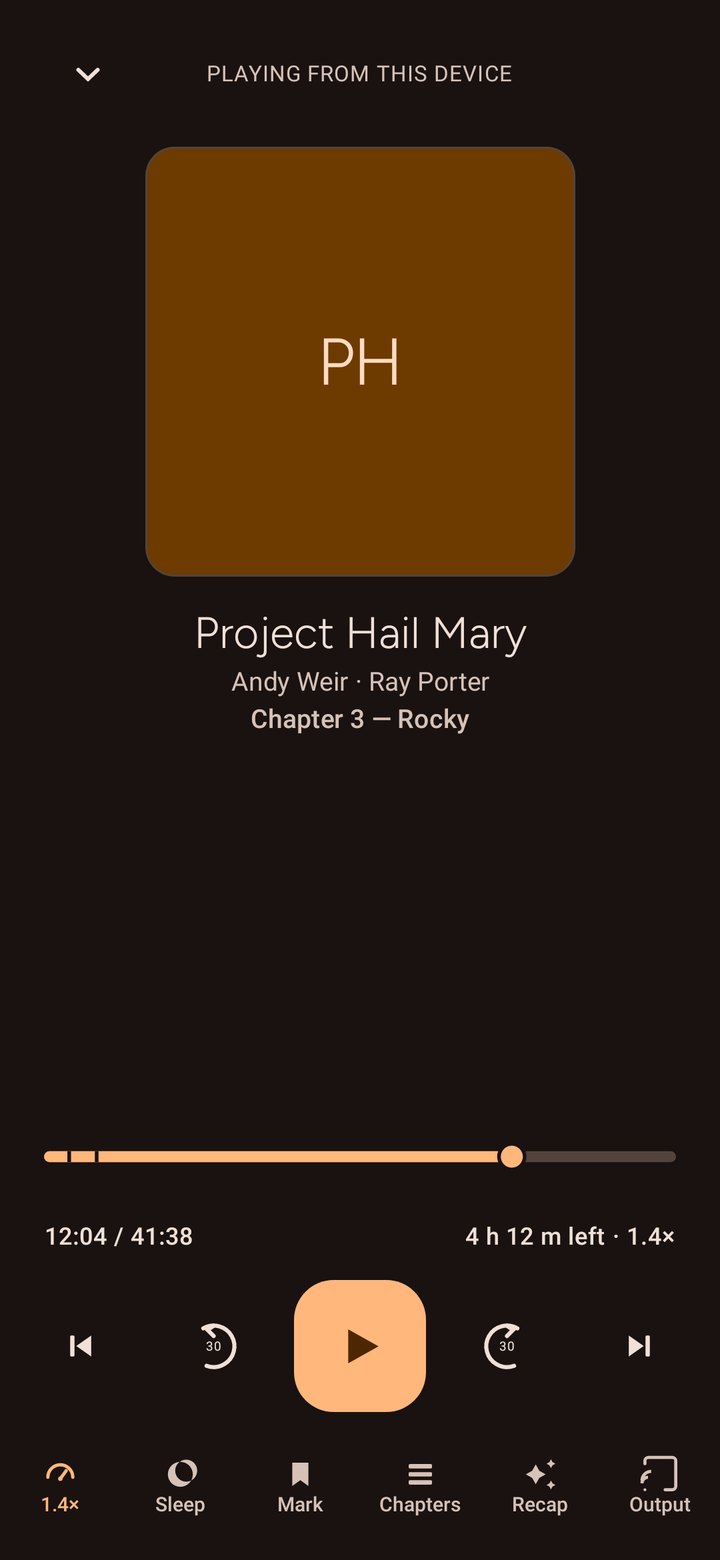
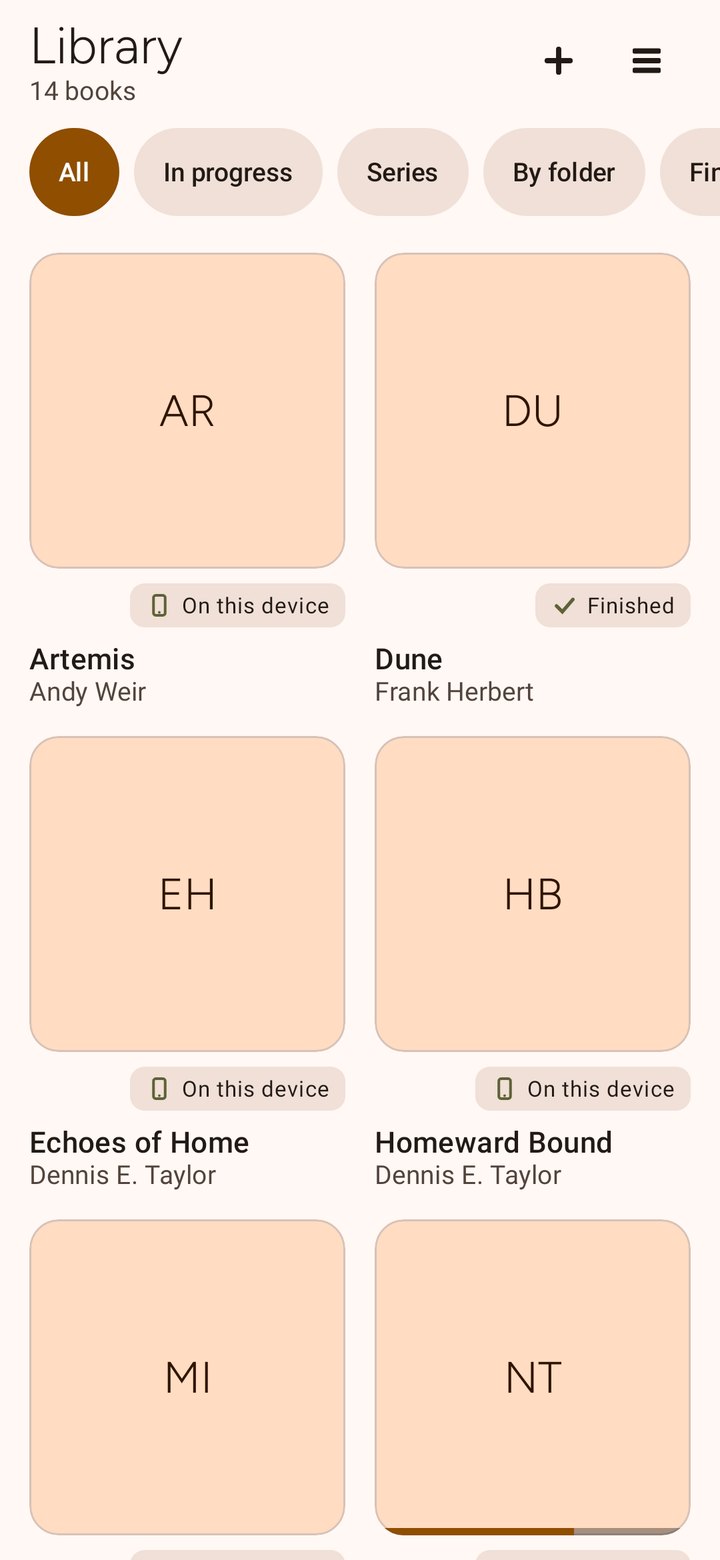
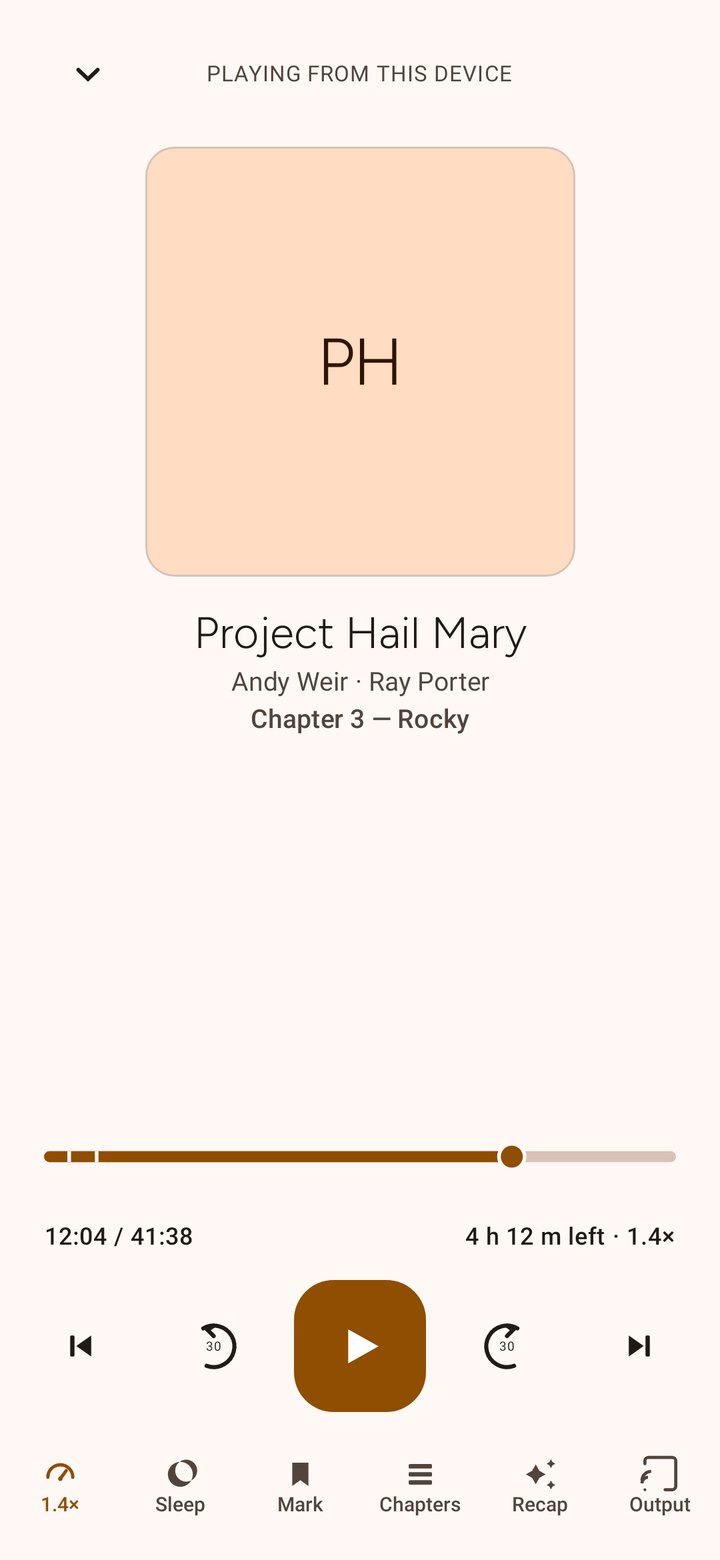
No login screen, no hosted service, no analytics script and no remote listening history. Your books stay with you.
The app reads your audiobook source without changing it and keeps corrections inside the app. Optional Portable Positions writes separate progress documents only under the shared folder's .vbreader subfolder.
Android Auto gets its own layout, built around the book you were already listening to, with voice search that stays quiet when it is unsure.
Progress is saved on your phone and kept per recording, because 3:42:10 in one narrator's version is a different moment in another.
Most players treat the dashboard as a remote control. vbreader treats it as the hardest screen in the product. The useful answer is not a giant alphabetical list, it is the book you were already listening to.
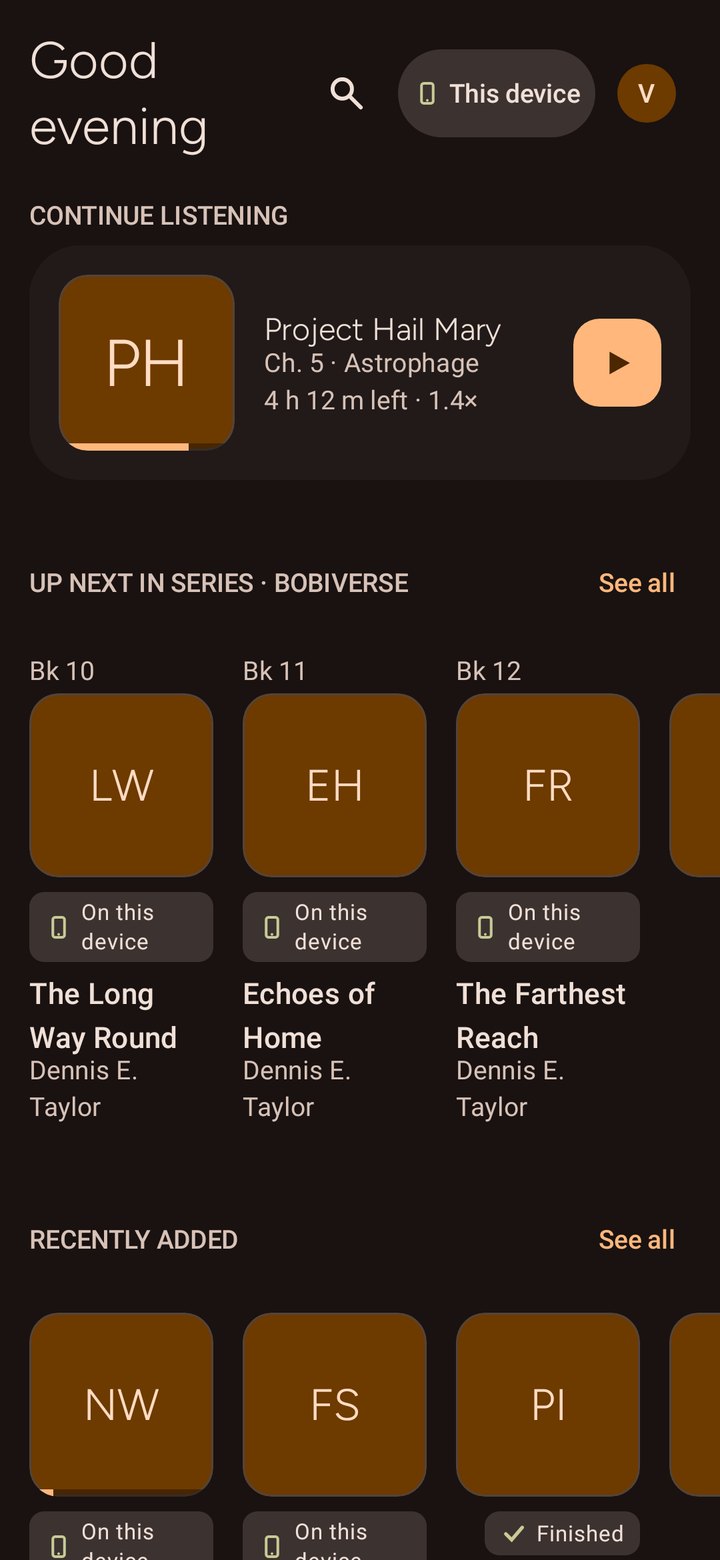
The screen beside this is the phone, not the dashboard. The car screen is built from the same rule of putting your current book first, and we would rather show you a real phone render than a mockup dressed up as a head unit.
Say a title from the wheel and the right book starts. The part nobody else gets right is what happens when the request is ambiguous: most players pick something and hope. Starting the wrong book at 70 mph is not a small annoyance, it is a thing you have to fix while driving.
Play my bookPicks up where you left off. The one worth teaching first.
Play Project Hail MaryAn exact title switches books immediately, unless you also own a longer title that starts with those same words. Then it keeps playing, because the car may simply have cut the title short.
Play Brandon SandersonAuthor, series or narrator: great for searching by ear, not certain enough to switch hands-free. Your current book keeps playing while you finish the pick on your phone.
Mis-hearings are normal, because the car does the transcribing. When it garbles what you said into something we cannot confidently place, we do not gamble on a guess. Your current book simply keeps playing.
Local folders come first because they are the simplest honest path: your files, on your device, playable offline. After launch, vbreader will add the other places audiobook people already keep books.
Audiobookshelf is the best option if you run it, because it already understands books, series, chapters and progress. Open Publication Distribution System (OPDS) is for catalogues. Cloud drives are for people who keep files in folders and do not want a server just to press play.
The important point stays the same: vbreader should connect to services you already chose. It should not turn into another account system just to sync one timestamp.
Portable Positions writes acknowledged position and finished state after they are saved
locally. Playback speed stays device-local and is not restored across devices. Every
shared app document stays under the selected folder's exact .vbreader
subfolder. No audiobook files are copied there. Bookmarks, settings and library layout
are not transported.
A network-backed document provider can upload records when vbreader writes them. Your sync software can also copy the folder independently. vbreader does not run a sync service or provide automatic cloud backup. Local progress is captured every 5 seconds while playing and on pause, seek, chapter and finish events; provider copying can lag further. Provider errors leave local progress intact and offer retry, not a false success.
Only exact Edition audio with a compatible ordered timeline matches, never a title or path. Re-encoded and split/combined copies do not automatically match. Records for audiobooks not on this device remain preserved, not playable Library entries.
After reinstalling, reselect your audiobook source and the same positions folder, choose Adopt existing, and confirm recognized matches. Disconnect keeps shared data and local progress. Delete shared data is a separate confirmed action that can affect other devices. Shared storage is optional; one-phone listening needs no shared folder.
After your software exchanges the journals, causally newer changes win, including an intentional rewind or unfinish. Identical concurrent states converge. Differing concurrent states require your choice: neither the latest clock nor the furthest position decides.
Earlier position, unfinished if any candidate is unfinished, is a conservative recommendation. It is never applied silently; you can choose another valid state.
The honest edge stays visible too: two devices playing the same book at the same moment is the hard case for any sync system without a central lock. The app names that boundary, not bury it under a cheerful green pill.
Downloads will make the car experience predictable before the dead zone starts. The app could fetch the next book in a series ahead of a long drive, while a storage limit keeps the phone from becoming a junk drawer.
Nothing gets cleared without you tapping the button that says so, not even a download the app fetched on its own that you never opened. When space runs low, the app will only suggest a finished book it can fetch again and let you remove it in one tap; it must not touch a local file that belongs to you, and it must never suggest a book with progress that has not safely landed elsewhere.
In the car, unavailable titles should be demoted before you tap them. The best offline state is the one you never have to think about at 70 mph.
Two narrators. Abridged and unabridged. A publisher intro on one copy and not the other. Timestamp 3:42:10 means completely different things in each.
Today, opening a book with more than one recording on your device already lets you choose between them: every recording keeps its own position, bookmarks and chapters. Two recordings never pretend to be interchangeable.
After launch, the same screen will also show recordings that live on a server or cloud drive, and switching between editions can offer an explicit, clearly approximate transfer that lands slightly early. Slightly early is honest. Confidently wrong is how you lose the plot.
The useful version is not a sparkle sticker on the home page. It is a set of specific tools, each with its own switch, all off by default.
The flagship is “What happened last time”: a recap bounded to your exact position, never referencing a sentence you have not heard. In the car, it could be read aloud before playback resumes, when that is something you explicitly chose.
On-device first matters. So does cost. If an operation needs a paid model or your own key, the app should say that before it spends anything, and generated text should always be labelled as generated.
Ebooks are part of the product direction because the name is vbreader, not vbaudio. The hook is not a second app. It is one place in the book, whether you are reading on the sofa or listening in the car.
Planned: import Electronic Publication (EPUB) and Portable Document Format (PDF). Pick a voice. Keep one position between formats. Stop reading at home, then start listening from the same sentence when you leave.
Until that exists, the app should say it is not available. A clear promise beats a greyed-out menu pretending to be a feature.
Local folders, a real Android Auto app, and a position saved every few seconds, and the moment you pause. No sign-up or account. Choose an audiobook source; shared progress is optional.
1.0.0, versionCode 5 is in Internal Testing. Physical acceptance is not complete. Production is not available; there is no public Production download yet.